Make a One-Tap Review Link and QR Code
Reviews, Local Marketing, Sales Automation
The Honest Reason You Don’t Have More Reviews (And How to Fix It in One Tap)
If you are like most businesses and agencies, you already know reviews matter. You have great clients, strong results, and a solid reputation—yet your Google profile still shows a frustratingly low number of reviews. The problem is not your service quality. The honest reason you do not have more reviews is much simpler: asking for reviews is a hassle, and leaving them is inconvenient for your customers.
Why You Are Not Getting More Reviews (Even When Clients Love You)
Most businesses and agencies rely on vague, occasional review requests: “If you get a chance, would you mind leaving us a review?” It sounds polite, but it rarely works. The real issue is friction on both sides of the process.
Asking for reviews is a hassle for your team
Your staff are busy serving clients, hitting deadlines, and managing day-to-day operations. Remembering to ask for a review at the right time, finding the correct link, and explaining where to click adds extra steps that often get skipped. Even with the best intentions, review requests fall to the bottom of the priority list because they feel manual, awkward, and time-consuming.
Leaving reviews is inconvenient for your customers
On the customer side, the experience is not much better. If they have to search your business name, find the correct listing, scroll to the review section, log in, and then finally write a review, you have already lost most of them. They may genuinely want to support you, but every extra click is a chance for them to get distracted and move on with their day. Convenience wins—and your review count loses.
Connextion exists to remove this friction. When you make reviews effortless, your happiest customers will actually follow through. That is where a simple one-tap review link and QR code come in.
The Simple Solution: One-Tap Review Link and QR Code
Instead of asking customers to “find us on Google,” you can send them directly to your review form with a single tap or scan. A direct review link and a scannable QR code eliminate all the extra steps. No searching. No guessing. No confusion about where to click. Just tap, type, submit.
Connextion helps you embed these links and codes into your automated follow-up messages, so every happy client receives a frictionless path to leave a review at exactly the right time. Before you automate, though, you need to create these assets correctly. Here is the step-by-step process.
Step 1: Get Your Direct Review Link from Google Business Profile
Google gives every verified business profile a unique link that opens the review box directly. To find it:
Sign in to the Google account that manages your Google Business Profile.
Search for your business name on Google. You should see your business panel appear in the search results.
In the management options, click “Ask for reviews”. Google will display a dedicated link.
Copy that link. This is your direct review URL that opens the review window instantly.
This direct link is the foundation of your one-tap and QR-based review strategy. From here, you can make it cleaner and more user-friendly.
Step 2: Shorten the Review Link for Easy Sharing
Google’s default URL is long and messy. Shortening it makes it easier to share in emails, SMS, and printed materials. You can use a reputable URL shortener—either a standalone tool or one built into your marketing platform. Many Connextion users prefer to create branded short links so clients immediately recognize the business behind the request.
Once shortened, this link becomes your “one-tap” review link. When a customer clicks it on their phone, they land directly on your Google review form, ready to type. No search bar. No extra navigation. Just action.
Step 3: Create a QR Code That Points to the Same Link
Not every review request will happen via email or text. In-person interactions are powerful, and a QR code gives you a bridge from the physical world to your online reviews. To create one:
Open a trusted QR code generator tool.
Paste your shortened review link into the URL field.
Customize the design with your brand colors—such as Connextion’s red, black, and white—for a professional look that matches your materials.
Download the QR code in a high-resolution format suitable for both print and digital use.
Now, any customer can scan the code with their phone camera and be taken straight to the same review page—again, with no searching or extra steps.
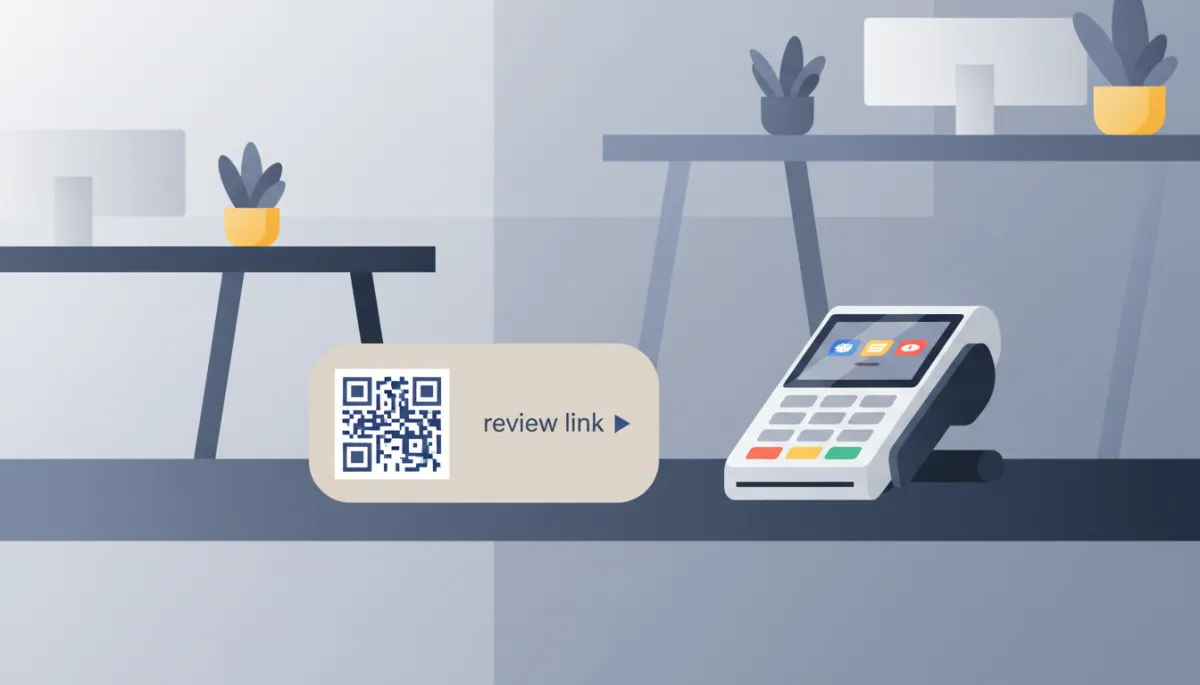
Visible QR codes and links turn everyday interactions into review opportunities.
Step 4: Place the Link and QR Code Where Customers Can Easily Use Them
A great link or QR code only works if people see it at the right moment. Think strategically about where your customers are most engaged and most satisfied, then place your review prompts there. For example:
Add the one-tap review link to post-appointment SMS messages and follow-up emails sent through Connextion.
Print the QR code on thank-you cards, invoices, or small countertop signs near your checkout or reception area.
Include the link in your email signature or client portal, so it is always one click away.
The goal is to make reviews a natural next step, not a separate chore. When your review link and QR code are woven into your existing touchpoints, collecting feedback becomes part of your normal client journey.
Step 5: Test the Link and QR Code Before You Go Live
Before rolling this out at scale, test everything. Open the shortened link on different devices and browsers. Scan the QR code from various distances and lighting conditions. Confirm that both options land users directly on your Google review form and that the experience is smooth from start to finish.
This quick quality check protects your reputation and ensures you are not sending customers to broken pages or confusing redirects. Once you are confident in the experience, you are ready to start asking more consistently and confidently.
Ask at the Peak of Happiness—and Keep the Message Warm and Short
Even with a flawless one-tap process, timing and tone still matter. The most effective review requests happen at the peak of happiness—the moment when your customer has just experienced a win you helped create. For a local service, that might be right after a successful appointment. For an agency, it could be immediately after presenting strong campaign results or launching a new project.
Pair your link or QR code with a short, warm message that feels human and appreciative. For example:
“We loved working on your campaign. If you have 30 seconds, would you mind sharing your experience here? [link]”
“Thank you for choosing us today. A quick Google review helps other clients find us: [link]”
Connextion can automate these messages so they are triggered immediately after a successful interaction, ensuring your requests hit when clients are most likely to say “yes” and follow through.
Why This Matters: Reviews as Free Social Proof and Sales Drivers
Reviews are not just nice-to-have compliments. They are powerful, free social proof that drives real revenue. Prospects trust the experiences of other customers more than any marketing claim. A strong volume of recent, authentic reviews:
Improves your visibility in local search results and maps.
Increases conversion rates when prospects compare you to competitors.
Shortens the sales cycle by pre-answering trust and credibility questions.
When you simplify the process of collecting reviews with one-tap links and QR codes, you are not just making life easier for your team and clients. You are building a steady, compounding asset that supports your marketing, strengthens your brand, and fuels your sales pipeline—exactly the kind of leverage Connextion is designed to create across your entire customer journey.
Take Action Today: Turn Happy Clients into Visible Proof
The gap between your private reputation and your public review count is costing you opportunities. The honest reason you do not have more reviews is not a lack of satisfied customers—it is friction. Asking for reviews feels like a hassle, leaving them feels inconvenient, and both sides quietly opt out.
By creating a direct review link, shortening it, generating a QR code, placing both where customers can easily access them, testing the experience, and pairing each request with a short, warm message at the peak of happiness, you remove that friction. You make it almost effortless for clients to advocate for you publicly.
Connextion helps you take this one step further by automating the entire flow, so every delighted customer is invited to leave a review at exactly the right time, across SMS, email, and other channels. The result is more reviews, more trust, and more closed deals—with no extra manual effort from your team.
Do not wait for reviews to trickle in on their own. Implement these strategies today, turn your best client moments into visible social proof, and let your reputation do more of the selling for you. Book Your Discovery Call Today with Connextion to see how automated review requests can plug directly into your broader sales and marketing workflows—and help you capture, nurture, and convert more leads faster than ever.