Give Every Lead a Stage
Sales, Lead Management, Local Business Growth
Lead Management for Local Businesses: Turn Every Inquiry into Revenue
For local businesses, every lead matters. Whether it comes from a website form, a phone call, or a walk-in inquiry, how you manage that lead often determines whether it becomes a loyal customer or a missed opportunity. A clear, stage-based Lead Management system gives your team structure, visibility, and control over the entire Sales Pipeline.
Why Lead Stages Matter for Local Businesses
Many local businesses rely on scattered notes, inbox searches, and memory to manage leads. This often results in slow responses, inconsistent follow-up, and, ultimately, lost revenue. By assigning clear Lead Stages to every contact, you transform a chaotic list of names into an organized Sales Pipeline that your entire team can understand at a glance.
A stage-based Lead Management approach improves Customer Tracking and makes your Follow-up Strategy more intentional. Instead of asking, “Who should I call today?” your team can ask, “Which New leads need first contact?” or “Which Quoted leads need a follow-up reminder?” This clarity helps prevent leads from slipping away and boosts overall sales efficiency.
The Five Essential Lead Stages: New, Contacted, Quoted, Won, Lost
Connextion recommends a simple, five-stage framework that works especially well for local businesses:
New – Leads that have just come in and have not yet been contacted. These require fast response to maximize conversion chances.
Contacted – You have called, emailed, or messaged the lead at least once, but they have not yet received pricing or a formal proposal.
Quoted – The lead has received a quote, estimate, or proposal and is considering whether to move forward.
Won – The lead has agreed to buy and become a customer. These are closed deals and should be celebrated and tracked for revenue reporting.
Lost – The lead has clearly declined, chosen a competitor, or gone inactive after multiple attempts. These are valuable for analyzing where your Sales Process can improve.
Keeping your entire database within these five stages gives you real-time visibility into your Sales Pipeline: how many opportunities are coming in, where they are stuck, and how effectively your team is moving them forward.
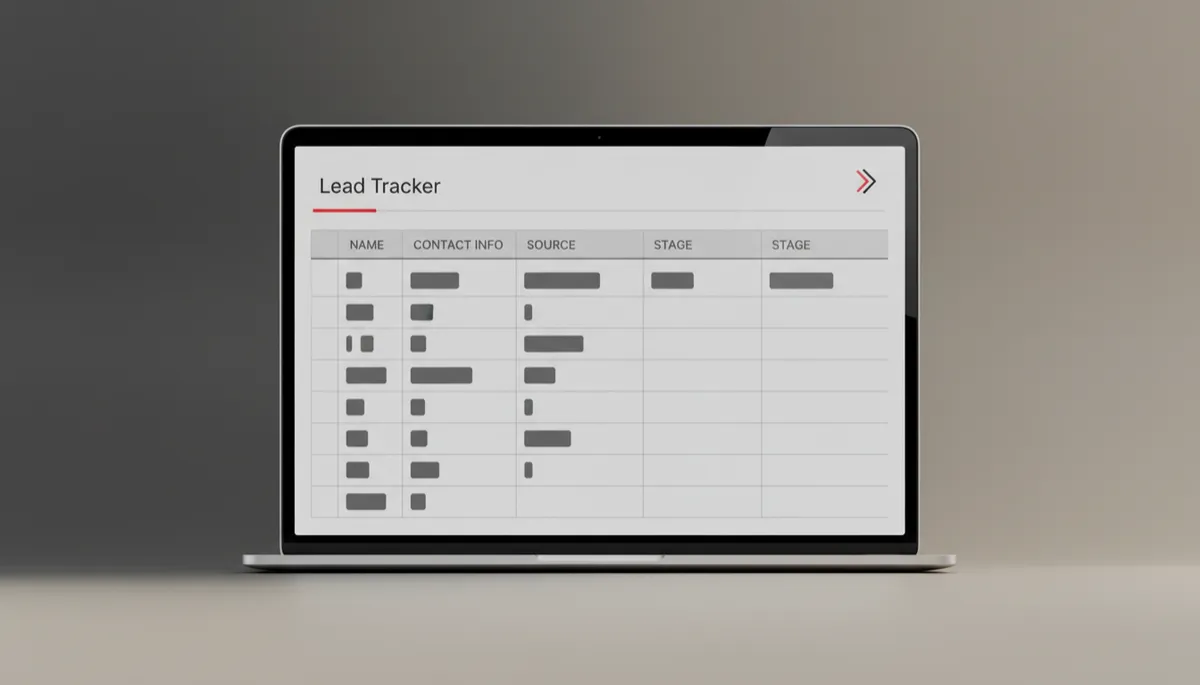
A clear Stage column turns a basic lead list into a focused action plan.
Step 1: Add a “Stage” Column to Your Lead Tracker
Whether you use a spreadsheet, a CRM, or Connextion’s AI-powered platform, start by adding a dedicated Stage column to your lead tracker. Place it near the lead’s name and contact information so it is always visible. Define the allowed values as exactly: New, Contacted, Quoted, Won, and Lost. This ensures consistency across your team and eliminates guesswork in your Lead Management process.
Step 2: Label Every Existing Lead by Stage
Next, review your current list and begin labeling leads with the appropriate stage. Ask a simple question for each contact: “What is the last meaningful action we took with this person?” If you just received their inquiry, mark them as New. If you spoke with them but did not send pricing, choose Contacted. If a proposal went out, move them to Quoted. Confirmed customers become Won, and clearly inactive or declined leads move to Lost.
This exercise alone often reveals forgotten opportunities. Many local businesses discover New or Quoted leads that have not been touched for days or weeks. With stages in place, those gaps are visible, and your team can take immediate corrective action.
Step 3: Move Leads Along the Stages as Actions Happen
From this point forward, moving leads along stages should become part of your standard Sales Process. Whenever a key action occurs, update the Stage field immediately. For example:
When a new web form is submitted, the lead enters as New.
After your first phone call or text, change the stage to Contacted.
Once you send a written quote, estimate, or proposal, move them to Quoted.
When the customer confirms and pays or signs, mark them Won.
If they clearly say no or stop responding after multiple attempts, classify them as Lost.
Connextion automates much of this movement by updating stages when emails are sent, calls are logged, or quotes are issued, further reducing manual work and improving accuracy.
Step 4: Use Stages to Determine Your Next Actions
The real power of stages lies in using them to drive your Follow-up Strategy. Each stage should have a clear set of next actions and timelines. For example:
New – Respond within minutes with an introductory call or automated message to set expectations and book an appointment.
Contacted – Schedule a follow-up if they did not answer, or gather more details to prepare a quote.
Quoted – Set reminders to check in after 24–72 hours, answer questions, and handle objections.
Won – Onboard the customer smoothly and invite reviews or referrals.
Lost – Periodically review to understand patterns and adjust pricing, messaging, or service offerings.
With Connextion, you can automate many of these actions—sending follow-up texts to Quoted leads, triggering reminder tasks for Contacted leads, and generating reports that highlight where leads are stalling.
Prevent Lead Leakage, Gain Clarity, and Boost Sales Efficiency
A structured, stage-based Lead Management system ensures that no lead is left behind. Because every contact is assigned to New, Contacted, Quoted, Won, or Lost, it becomes immediately obvious if someone has not been touched recently or is stuck in the same stage for too long. This visibility prevents quiet “lead leakage” and keeps your team focused on the right opportunities at the right time.
At the same time, stages enhance clarity across your organization. Owners, managers, and sales reps share a common language for discussing the Sales Pipeline, and performance can be measured objectively—how many New leads came in, how many Quoted leads converted to Won, and where improvements are needed in the Sales Process. The result is higher sales efficiency, more predictable revenue, and a better experience for every potential customer.
📌 Key Takeaway: When your lead tracker includes a Stage column and your team consistently updates it, you gain immediate insight into what to do next, who to contact, and how to grow faster.
Put Structured Lead Management on Autopilot with Connextion
Connextion was built to help local businesses capture, nurture, and convert more leads before they slip away. By combining automated communication with clear Lead Stages and robust Customer Tracking, our platform turns your Sales Pipeline into a predictable growth engine. If you are ready to bring structure, clarity, and efficiency to your Lead Management, Book Your Discovery Call Today to see how Connextion can transform your sales process and help you close more clients consistently.