Turn On Instant Lead Alerts So Nothing Slips Through
Lead Notifications, Instant Alerts, Customer Response
Why Lead Notifications and Instant Alerts Are Mission-Critical for Modern Businesses
In a world where prospects expect near-instant replies, the businesses and agencies that win are not always the ones with the best pitch—they are the ones that respond first. Behind every fast response is a simple but often overlooked engine: reliable Lead Notifications and Instant Alerts. Without a rock-solid alert system, even the most sophisticated funnel can quietly leak revenue.
The Hidden Requirement Behind Replying Fast
Many teams focus on scripts, offers, and follow-up sequences, but overlook a critical hidden requirement: you cannot reply fast if you do not know a lead has arrived. A form submission that sits unnoticed in an inbox for hours is effectively the same as no lead at all. By the time someone checks email manually, that prospect may have already booked with a competitor.
This is where a disciplined approach to Notification Settings becomes a competitive advantage. When your systems are configured to trigger loud, unmistakable alerts the moment a lead appears—whether from your website, ads, or social channels—your team can consistently respond within minutes, not hours. Platforms like Connextion are designed around this principle: capture the lead instantly, alert the right people, and start the conversation before attention fades.
Step 1: List Every Lead Channel You Use
Building effective Lead Notifications starts with clarity. Begin by listing every source where leads can appear. For most businesses and agencies, this includes:
Website contact and quote request forms
Landing pages connected to paid ads or campaigns
Live chat and chatbots on your site or in-app
Social media DMs and lead forms (Facebook, Instagram, LinkedIn, etc.)
Call tracking numbers and missed call texts
Marketplace or directory inquiries (Google Business Profile, Yelp, etc.)
Document this list and confirm that every channel ultimately flows into a central system such as Connextion. Fragmented channels lead to missed opportunities; centralized Customer Response enables consistent speed.
Step 2: Configure Notification Settings with Sound and Priority
Silent notifications are easy to ignore. To truly benefit from Instant Alerts, configure your Notification Settings so that new leads stand out from everyday noise. Consider the following best practices:
Enable push notifications on desktop and mobile specifically for new leads and booked appointments.
Turn on sound alerts with a distinct tone that your team recognizes as “lead just came in.”
Use high-priority or “do not disturb override” settings on key devices for working hours.
Route alerts to a shared channel (such as a team inbox or Slack channel) so multiple people can respond if needed.
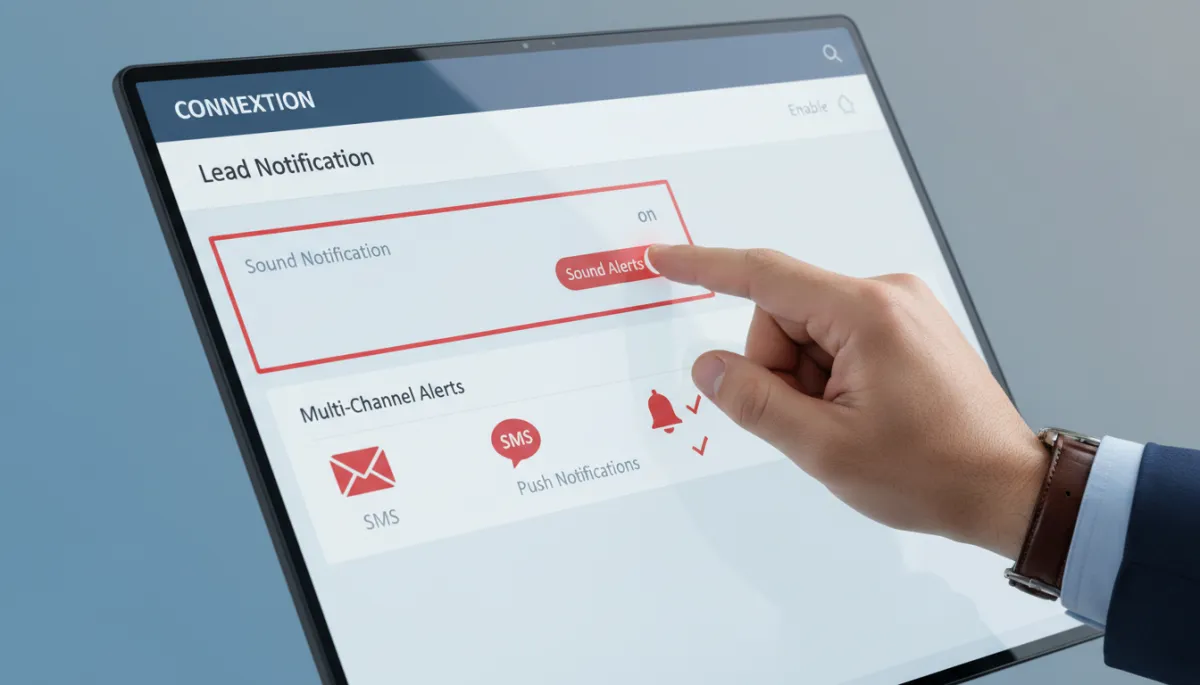
Clear, audible alerts ensure new leads are seen and acted on immediately.
Step 3: Ensure Website Forms Notify Immediately
Your Website Form Setup is often the first touchpoint for high-intent prospects, yet many forms still send only a quiet email to a generic inbox. Instead, configure your forms so that every submission automatically:
Pushes directly into your CRM or automation platform (such as Connextion).
Triggers an instant internal alert via email, SMS, and/or app notification.
Starts an automated confirmation message to the lead, setting expectations for response time.
This combination reassures the prospect while your team is simultaneously notified to follow up personally. The gap between submission and first contact shrinks dramatically, improving your chances of winning the deal.
Step 4: Test Lead Alerts Like a Customer Would
Once your systems are configured, do not assume they work—prove it. Regularly test lead alerts by submitting test leads from each channel on your list. Use different devices and times of day to confirm that:
The lead appears correctly in your pipeline or dashboard.
Notifications are delivered instantly to all intended recipients.
Sound and visual cues are noticeable even during a busy workday.
💡 Pro Tip: Time how long it takes from form submission to first alert. Aim to keep this under 10 seconds to support truly instant Customer Response.
Step 5: Maintain Alert Effectiveness with Regular Checks
Even the best systems can drift over time as apps are updated, team members change devices, or new channels are added. To maintain effective Lead Notifications, schedule recurring reviews—monthly or quarterly—to verify that:
All lead sources are still connected and mapping correctly into your platform.
Notification rules, routing, and sound settings still match your current team structure and hours.
No one has muted or disabled critical alerts on their devices.
Platforms like Connextion make this easier by centralizing channels and providing clear visibility into where leads originate and how quickly your team responds. This transparency supports continuous improvement and keeps your Replying Fast advantage intact.
Turn Instant Alerts into Revenue, Not Just Noise
Lead alerts are more than simple notifications—they are the trigger for real conversations and closed deals. When you deliberately map every channel, configure strong sound and visual cues, ensure immediate website form alerts, rigorously test your setup, and maintain it over time, you create a reliable engine for fast, consistent Customer Response.
Connextion was built to support this exact workflow, helping businesses and agencies capture, nurture, and convert leads before they slip away. If you are ready to transform missed inquiries into booked appointments and new revenue, Book Your Discovery Call Today and see how AI-powered Instant Alerts and automation can keep your team replying fast—every time a new lead comes in.