Turn On Google Business Messaging to Catch Leads on Search
Google Business Profile, Business Messaging, Local SEO, Lead Generation
Turn Google Searches into Conversations: How to Enable and Optimize Google Business Messaging
When someone in your area searches “emergency plumber near me” or “best barber in [city],” you have just a few seconds to capture that intent. Enabling and optimizing Google Business Messaging inside your Google Business Profile makes it effortless for those high-intent searchers to start a conversation, ask a question, and become a booked appointment—before they ever visit a competitor’s website.
Why Google Business Messaging Still Matters in 2026
Google retired the old in-dashboard Business Profile chat in July 2024 (support.google.com), but messaging on Google did not disappear. It evolved. Today, your Google Business Profile can show a “Text message” (SMS) or “WhatsApp” button right in Search and Maps, depending on region and eligibility (maps-agent.com).
For local service providers—plumbers, HVAC companies, barbers, salons, dentists, and agencies—this is a powerful Local SEO and Customer Engagement lever. When a prospect can tap “Text” from your Service Listing instead of hunting for a contact form, you dramatically reduce friction and increase Lead Generation. At Connextion, we see businesses consistently capture more high-intent leads simply by combining Google Business Messaging with automated follow-up.
Step-by-Step: How to Turn On Messaging in Your Google Business Profile
Before you start, make sure your Google Business Profile is claimed and verified. Messaging options only appear for eligible, verified profiles (maps-agent.com).
Sign in to your Business Profile
Go to business.google.com and select the location you want to manage (for agencies, choose the specific client location).Open the Contact settings
From the profile menu, click Edit profile → Contact. Look for an option labeled Chat or Messages (wording can vary slightly by region and interface).Choose your messaging channel
You’ll typically see:Text message (SMS): Enter a text-capable phone number your team actively monitors.
WhatsApp: Paste your WhatsApp click-to-chat URL or connect your WhatsApp Business number (support.google.com).
If you add both, Google often prioritizes the SMS option in the interface (support.google.com).
Save and test from a phone
Save your changes, then search for your business on a mobile device. Confirm that the “Text” or “WhatsApp” button appears and that messages route correctly to your phone or messaging system.
💡 Pro Tip from Connextion: Route that SMS or WhatsApp number into an automation platform so every new message automatically becomes a tracked lead, not just another text on someone’s phone.
Setting Up Effective Greetings and Auto-Responses
While Google’s legacy in-profile greeting is gone, you can—and should—use your SMS or WhatsApp tools to create a strong initial greeting. This functions like a welcome message and sets expectations from the first touch.
Acknowledge quickly: “Thanks for reaching out to [Business Name] via Google. You’re in the right place.”
Set response expectations: “We reply within 5–10 minutes during business hours.”
Ask a qualifying question: “What service do you need and when are you hoping to book?”
For example, a barber might use: “Hey, thanks for messaging FadeHouse Barbers from Google. We usually respond within 10 minutes. Are you looking for a same-day cut or future appointment?” A plumber could ask whether it’s an emergency and request a ZIP code to estimate arrival times.
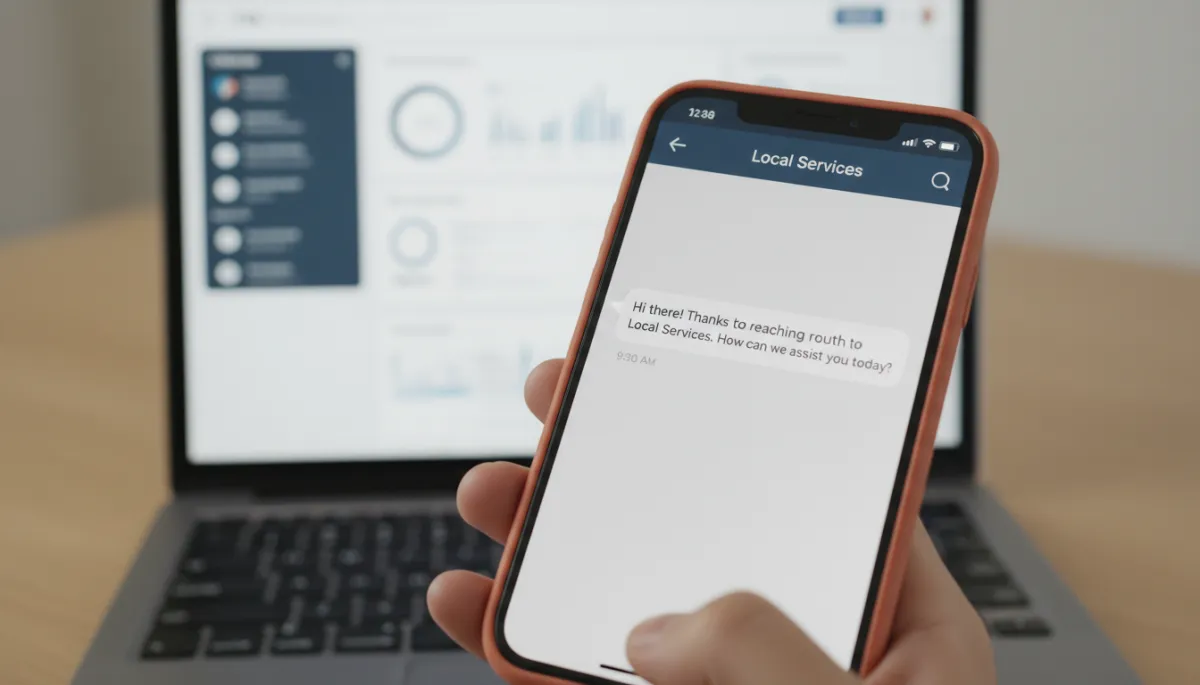
A clear, automated greeting turns anonymous searchers into qualified, trackable leads.
Best Practices for Fast, Conversion-Focused Responses
Messaging is only as powerful as your speed and quality of response. Studies of Google Business Profile messaging show that businesses with rapid replies earn higher trust and engagement, while slow responders often see messaging disabled automatically (flento.io).
Target under 5 minutes during business hours. For emergency services, aim for near-instant replies; this is where Connextion’s AI-powered routing and auto-replies shine.
Use templates for FAQs. Save time with reusable responses for pricing ranges, hours, directions, and how to book—then personalize with name and details.
Always drive to a clear next step. End messages with, “Would you like me to book that for you now?” or a direct booking link.
Track conversations as leads, not just chats. Log name, service interest, and source (“Google Business Profile – SMS”) so you can measure true Lead Generation impact.
📌 Key Takeaway: Speed plus structure wins. The businesses that convert the most Google searchers into clients respond fast, qualify quickly, and move the conversation straight into a booked appointment.
How Messaging Supports Local SEO and Service Listings
Google’s Local SEO ecosystem increasingly rewards businesses that provide a strong user experience. Accurate Service Listings, consistent NAP data, responsive communication, and positive reviews all send quality signals (clickyowl.com). When your profile shows a visible “Text” option and you respond reliably, you’re aligning with Google’s goal: help users solve problems quickly.
Messaging also tends to increase the volume of interactions—questions, quotes, and booking requests. In Connextion, we see that when businesses turn on messaging and automate follow-up, they not only capture more leads but also generate more reviews and repeat bookings, reinforcing their Local SEO flywheel.
Turn Google Messages into a Scalable Revenue Channel with Connextion
Enabling Google Business Messaging is the first step. The real growth happens when every incoming text or WhatsApp from your Google Business Profile automatically becomes part of a structured, automated sales workflow—acknowledged instantly, qualified, followed up, and booked.
Connextion is built to do exactly that. Our all-in-one, AI-powered sales and communication automation platform connects your messaging channels, captures leads the moment they reach out, and keeps nurturing them across SMS, email, and more until they become paying clients. No more lost texts, no more missed opportunities when your team is busy on a job site or with a client in the chair.
If you’re ready to turn Google searches into predictable revenue and give your business—or your clients’ businesses—a competitive edge in Local SEO, it’s time to put messaging and automation to work together. Book Your Discovery Call Today with Connextion to see how we can help you consistently connect with, capture, and close more local clients from every Google search.