
Set Up a Professional Email and Signature That Build Instant Trust
Professional Email, Small Business Branding, Customer Trust Signals
Why a Professional Email and Tidy Signature Matter for Small Business Trust
In a crowded local market, customers make split-second decisions about whether to trust your business. Often, that judgment starts with something simple: your email address and your email signature. For small businesses focused on growth, a well-planned professional email and a tidy, consistent signature are not cosmetic extras; they are essential customer trust signals that support your brand, your sales process, and your long-term reputation.
Professional Email: A Small Detail With Big Impact
When a prospect receives an email from [email protected] instead of [email protected], they immediately form an impression. One looks like a personal account; the other looks like a real, established company. That is the power of a Professional Email address tied to your own domain. It quietly communicates that you are serious, stable, and invested in your business for the long term.
For local businesses competing against larger brands, these subtle details can be the difference between a prospect responding to your quote or moving on to the next provider. A structured Business Email Setup is often the first digital impression you make, and it must support—rather than undermine—your Small Business Branding efforts across your website, social media, and offline marketing.
Step 1: Get an Email at Your Own Domain
The foundation of a professional email presence is owning and using your own domain. Instead of relying on free email providers, invest in a domain that matches your business name, such as yourbusiness.com. This is a one-time strategic move that strengthens every communication that follows. It is a practical, affordable way to elevate your brand and send a strong message of Trustworthy Communication to customers, partners, and suppliers.
Once you own your domain, you can create clear, role-based addresses that support your operations and sales processes, such as:
[email protected] for general inquiries
[email protected] for customer service and after-sales support
[email protected] for quotes, proposals, and follow-ups
These consistent, business-specific addresses look more organized and reliable. They also make it easier to integrate with automation tools like Connextion, where each address can be connected to specific workflows that capture, nurture, and convert leads faster, without sacrificing the human, professional touch your local customers expect.
Step 2: Setting Up Your Business Email on Every Device
A professional email address is only effective if you actually use it—everywhere. That means setting it up on all the devices you and your team rely on: desktops, laptops, tablets, and smartphones. This step is critical for maintaining Trustworthy Communication, because customers notice when emails suddenly come from a different address or when replies are delayed due to poor access.
A thoughtful Business Email Setup process should include:
Configuring your business email in your main desktop client (such as Outlook, Apple Mail, or a web-based inbox) with secure settings and proper authentication.
Adding the same account to your mobile devices, ensuring that outgoing emails always use your business address—not a personal one—by default.
Testing sending and receiving on each device, including attachments, to avoid embarrassing errors when sending proposals or invoices on the go.
When your professional email is consistently available, you can respond faster, keep conversations in one place, and connect it to platforms like Connextion for automated follow-ups, reminders, and appointment confirmations. This level of reliability becomes part of your dependable business image—customers learn that when they email you, they will hear back quickly and clearly.
Step 3: Building a Clean, Consistent Email Signature
Your email signature is your digital business card. A tidy, well-structured signature reinforces your Small Business Branding with every message you send. It tells recipients who you are, how to reach you, and why they should trust you—all in a compact, professional format. Well-executed Email Signature Tips can transform a plain message into a polished communication that reflects the quality of your services.
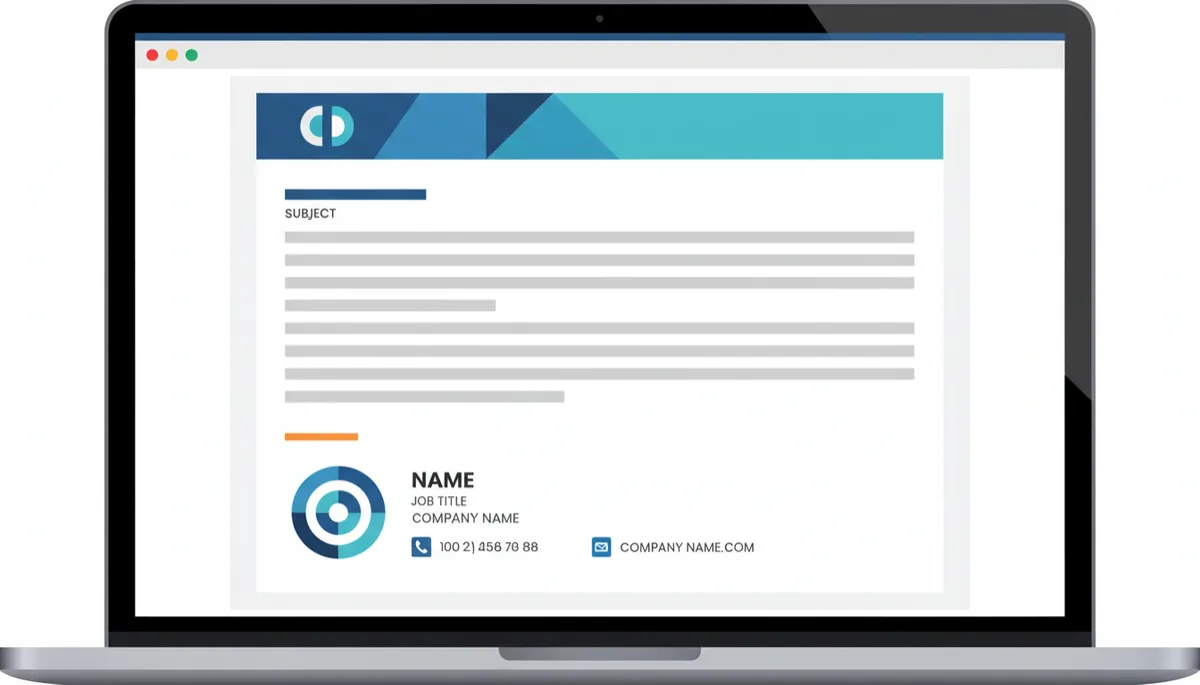
A clear, consistent email signature quietly reinforces your brand with every message.
At minimum, your signature should include:
Your full name and role (for example, Jane Doe, Owner)
Your business name and website URL
Primary contact number and, if relevant, your physical location or service area
Optional: a small, high-quality logo and one clear call to action, such as “Book Your Discovery Call Today.”
Keep your signature simple and readable. Avoid large images, multiple fonts, or long quotes that distract from the essentials. Remember that many customers will read your emails on mobile devices; a cluttered signature can look unprofessional or even break the layout. A clean design in your brand colors—such as red, black, and white for a company like Connextion—delivers a sharp, confident impression that supports your overall marketing message.
Step 4: Using Your Professional Email and Signature Everywhere
Once your professional email and tidy signature are in place, the next step is consistency. To build strong Customer Trust Signals, you should use the same business email address and signature in every channel where your customers interact with you. This alignment reduces confusion and reinforces your dependable business image at every touchpoint.
List your professional email on your website, social media profiles, Google Business listing, and printed materials.
Use the same email address for quotes, invoices, support replies, and appointment confirmations.
Ensure your email signature is turned on for all outgoing messages, including replies and forwards, not just new emails.
When you connect your professional email to a platform like Connextion, this consistency becomes even more powerful. Automated sequences—such as lead nurturing campaigns, booking confirmations, and follow-up reminders—can all be sent from the same branded address with the same clean signature. To your customers, it feels like a single, reliable voice, even if much of the process is handled automatically in the background.
How Small Signals Add Up to Big Trust
Customers rarely tell you, “I chose your company because your email address looked professional.” Instead, they simply feel more comfortable engaging with you. That comfort is built from many small signals: a domain-based email, a tidy signature, a quick reply, and a consistent tone across every message. Together, these details create a sense of structure and reliability that makes it easier for people to say yes to working with you.
For local businesses, where word-of-mouth and repeat customers drive growth, this trust is invaluable. A professional email presence supports:
Credibility: You look more established and less risky to new prospects.
Clarity: Customers know how to reach you and recognize your messages immediately.
Consistency: Every email aligns with your brand, from your logo to your closing line.
These are exactly the qualities that platforms like Connextion are designed to amplify. By combining a strong professional email foundation with automation, you can deliver timely, branded, and trustworthy communication at scale—without losing the personal, local touch that sets your business apart.
Turn Everyday Emails Into a Growth Engine
A professional email and a tidy signature may seem like small pieces of your marketing puzzle, but they work quietly in the background to support every interaction you have with customers. When aligned with a clear Small Business Branding strategy and supported by smart automation, they become powerful tools for building trust, increasing response rates, and closing more deals.
Start by securing your own domain, setting up a reliable Business Email Setup across all devices, and applying practical Email Signature Tips to create a clean, consistent sign-off. Then, put those elements to work in every channel where you connect with prospects and customers. The result is a stronger, more dependable business image that supports your growth goals day after day.
📌 Key Takeaway: Professional email and tidy signatures are not just design choices—they are trust-building tools that make every message you send work harder for your business.
If you are ready to pair a professional email presence with intelligent automation, Connextion can help you turn everyday communication into a predictable growth engine. From capturing new leads to nurturing them with timely, branded messages and booking more appointments, our platform is built to support Trustworthy Communication at every stage of the customer journey. Book Your Discovery Call Today to explore how a stronger email foundation—combined with AI-powered automation—can help you connect with, capture, and close more clients in your local market.