Cut No-Shows With Automatic Appointment Reminders
Business Growth, No-show Appointments, Automation
How to Reduce No-Show Appointments and Protect Your Revenue
No-show appointments don’t just hurt your schedule—they quietly drain your revenue, frustrate your team, and slow growth. The good news? With the right mix of smart booking tools, a thoughtful reminder system, and automated client communication, you can dramatically reduce no-shows without chasing people down manually.
Why No-Show Appointments Are More Than Just an Inconvenience
A single missed appointment may not seem like a big deal, but over weeks and months, no-show appointments add up to real money left on the table. For service-based businesses and agencies, every empty slot means:
Lost revenue you can’t get back
Wasted prep time from your team or consultants
Slower pipelines and stalled projects for your clients
The reality is, most clients don’t miss on purpose. They forget, get busy, or lose the link. That’s why the smartest way to reduce no-shows is to build a simple, automated system that keeps their appointment top of mind without adding more work for your team.
Start with Smarter Booking Tools That Set Clear Expectations
Reducing no-shows begins the moment a client books. Modern booking tools should do more than simply capture a time slot—they should set expectations, capture key details, and connect seamlessly to your calendar and CRM. When clients see exactly what they’re booking, for how long, and what will happen next, they’re far more likely to show up.
With Connextion, appointment booking is built into the same platform you use to capture and nurture leads. That means the moment someone schedules, they’re automatically added to the right workflow, tagged correctly, and ready to receive timely client reminders and follow-ups—no manual data entry or copy-paste needed.
Use a Multi-Touch Reminder System (Without Feeling Pushy)
People are busy. A single email reminder is easy to miss or ignore. A friendly, layered reminder system reaches clients where they already are—text, email, and even voice—at thoughtful intervals that feel helpful, not annoying.
An instant confirmation right after booking
A reminder 24 hours before the appointment
A quick SMS one to two hours before the call or visit
Connextion automates these client reminders across channels, so your team doesn’t have to remember who to message and when. You set the cadence once, and the platform keeps your calendar protected day after day.
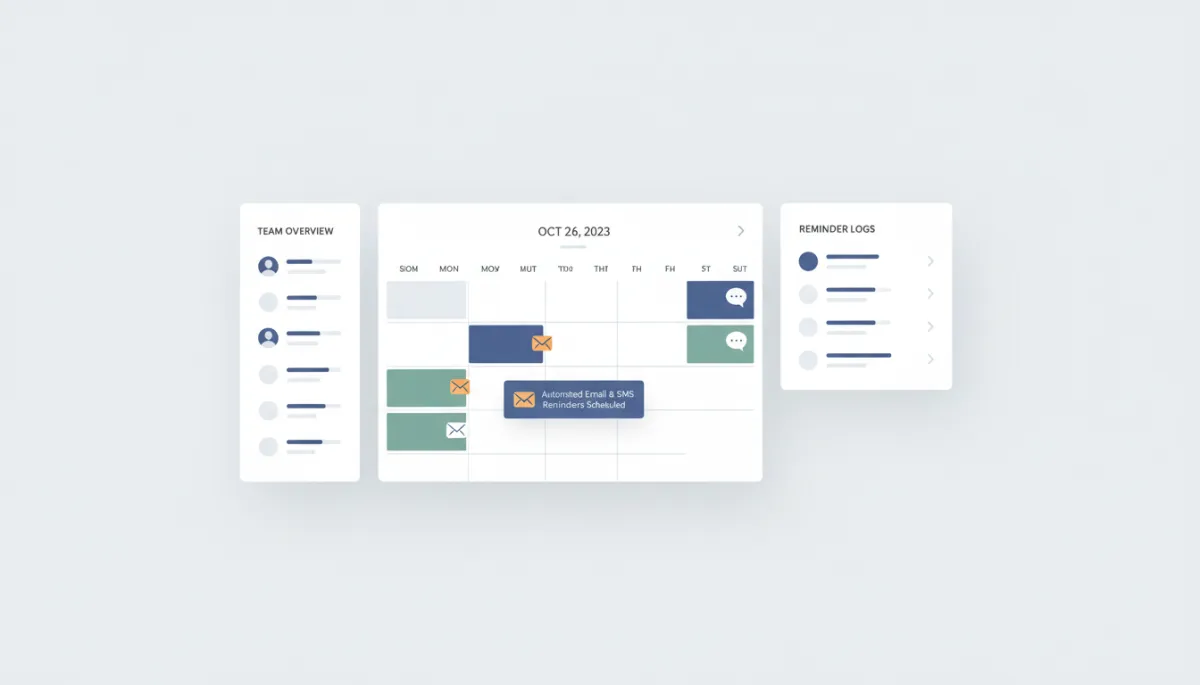
Automated multi-channel reminders can cut no-shows dramatically in just a few weeks.
Make Appointment Confirmations Clear, Simple, and Actionable
Clear appointment confirmations are your first line of defense against misunderstandings. Every confirmation message should restate the date and time, time zone, meeting location or link, and what the client should prepare. When clients can quickly add the event to their calendar with one click, they’re far less likely to forget it.
Connextion automatically sends branded confirmations the moment a booking is made, complete with calendar links and clear next steps. This not only helps reduce no-shows, it also reinforces your professionalism and builds trust before you even meet.
Turn Client Reminders into a Two-Way Conversation
The most effective client reminders don’t just say, “Don’t forget.” They invite a quick response: confirm, reschedule, or ask a question. When clients can reply “C” to confirm or “R” to reschedule, you can keep your calendar full instead of sitting in an empty meeting room.
Because Connextion is built for multi-channel communication, those replies don’t get lost. They’re tracked in one place, routed to the right team member, and can even trigger automated workflows—like sending a new booking link if someone needs to change their time.
Measure, Optimize, and Consistently Reduce No-Shows
To truly reduce no-shows over the long term, you need visibility. Which campaigns lead to the most reliable bookings? Do certain time slots or services have higher no-show rates? Are SMS reminders more effective than email for your audience?
Connextion gives you transparent, actionable insights so you can adjust your reminder system, test different booking flows, and continuously improve. Over time, you’re not just reacting to missed meetings—you’re building a predictable, scalable appointment engine that supports real growth.
💡 Friendly Tip: Start by automating confirmations and one reminder. Then layer in additional reminders and two-way messaging as you see results.
Ready to Protect Your Calendar and Close More Clients?
No-show appointments don’t have to be “just part of doing business.” With the right booking tools, automated client reminders, and clear appointment confirmations, you can keep your calendar full, your team focused, and your revenue growing. Connextion was built to help businesses and agencies do exactly that—capture leads, nurture them, and guide them all the way to kept appointments and closed deals.
If you’re ready to reduce no-shows and turn more of your leads into loyal clients, let’s talk about how automation can support your goals. Book Your Discovery Call Today with Connextion and start transforming missed appointments into consistent, predictable growth.