Stop Important Messages From Getting Buried
Notification Management, Client Communication
Smarter Notification Management: Make Every Customer Message Count
Your phone should be your growth partner, not your biggest distraction. With the right notification management strategy, you can reduce digital noise so important customer messages stand out, helping your business capture, nurture, and close more clients with confidence.
Why Notification Management Matters for Growing Businesses
If you are like most business owners, sales reps, or agency leaders, your phone never stops buzzing. Social media likes, app promos, random news alerts, and group chats compete for your attention all day. In the middle of that chaos, a high-intent lead might be waiting for a reply—or a loyal client could be asking a time-sensitive question. When digital distractions win, revenue opportunities lose.
Effective Notification Management is no longer a “nice to have.” It is a simple, high-impact way to make sure customer messages are seen quickly, responded to professionally, and never buried under non-essential noise. When you pair a smart notification setup with an automation platform like Connextion, you create a powerful system that captures leads instantly and keeps conversations moving toward the close.
Step 1: Audit Your Current Phone Settings and Alerts
Start by taking an honest look at your current phone settings. For one full day, pay attention to every alert that pops up. Ask yourself a simple question each time: “Did this notification help me serve clients or grow revenue?” If the answer is no, it is a candidate for change or removal.
Open your notification center and scroll through recent alerts to see which apps dominate your screen.
Make a short list of “business critical” apps, such as Connextion, email, calendar, phone, and key messaging tools your clients use.
Note which alerts triggered stress, distraction, or context switching during your workday.
💡 Pro Tip: Check your phone’s “Screen Time” or “Digital Wellbeing” report. It is a quick way to see which apps steal the most attention and contribute to digital distractions.
Step 2: Turn Off Non-Essential Alerts Without Guilt
Next, it is time to protect your focus. Go app by app through your settings and turn off non-essential alerts. This is not about ignoring the world; it is about designing a phone that supports your business goals instead of fighting them.
Disable notifications for shopping apps, games, and rarely used tools entirely.
For social media, keep alerts off or limit them to direct messages only, not likes or comments.
Turn off “promotional” notifications from banks, airlines, and retailers that are not time-sensitive.
As you do this, remind yourself: every alert you remove creates more space for the client communication that actually drives revenue. Fewer pings means faster responses to leads that come in through Connextion, your website chat, or SMS campaigns.
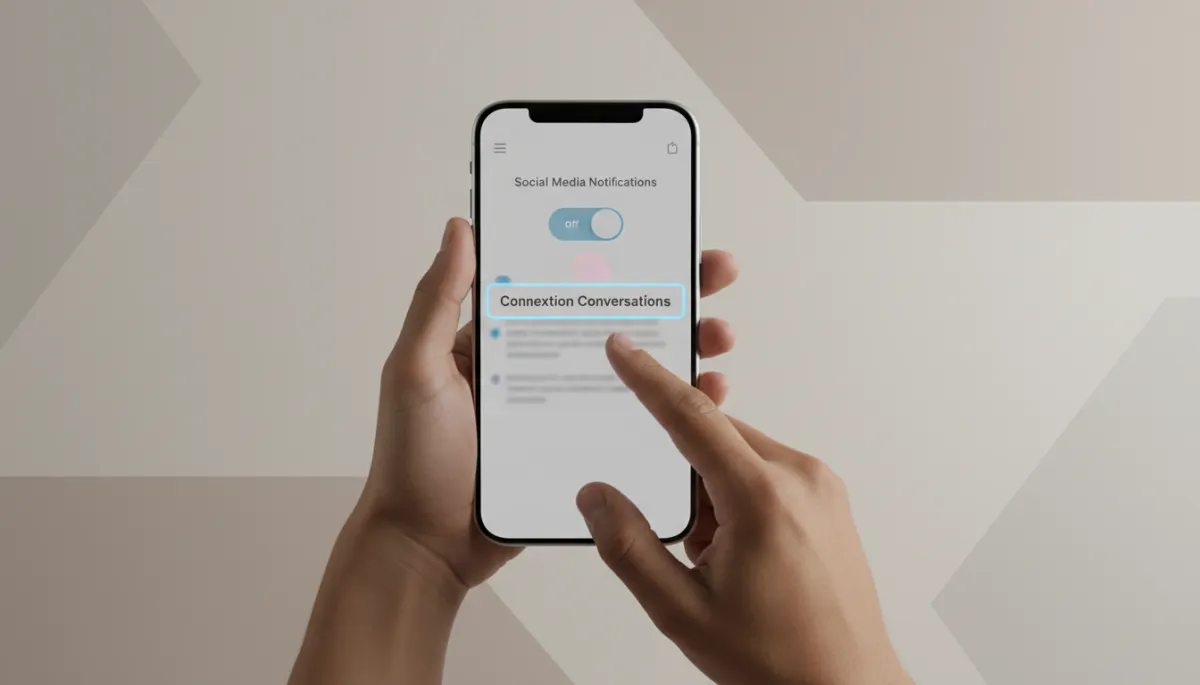
Trimming non-essential alerts frees your attention for high-value client conversations.
Step 3: Customize Important Notifications with Sound or Vibration
Once the noise is gone, make sure the right alerts truly stand out. For your most critical channels, use alert customization so you can recognize priority customer messages instantly—even from across the room.
Assign a unique sound or vibration pattern to Connextion notifications, SMS, and key email accounts used for sales or support.
Enable lock-screen and banner alerts for leads, bookings, and incoming replies from your campaigns.
Use “VIP” or “starred” contacts where available so messages from your hottest prospects never blend in with general traffic.
By customizing important notifications with sound or vibration, you train your brain to recognize revenue-related alerts instantly. That means you can step away from your desk without missing a chance to confirm an appointment, answer a key question, or close a deal that Connextion has nurtured for you.
Step 4: Test and Fine-Tune Your Settings in Real Life
A great setup on paper still needs a real-world test. For the next few days, pay close attention to how your new notification setup feels and performs. This is where you test your settings and make small adjustments until they are just right for your workflow.
Track how quickly you notice and respond to new leads or client questions coming through Connextion.
Notice moments when you still feel pulled off task and see if a remaining app needs to be silenced.
Adjust volumes, vibration strength, and banner styles so they are noticeable but not overwhelming.
💡 Pro Tip: Create a “Focus” or “Do Not Disturb” mode that allows only Connextion, calls, and calendar alerts through during deep work or sales calls.
Reduce Digital Distractions So Customer Messages Stand Out
When you intentionally reduce digital distractions, something powerful happens: your best opportunities stop slipping through the cracks. You notice new inquiries faster. You respond with more clarity. And you create a smoother, more professional experience that builds trust with every interaction.
This is exactly what Connextion is designed to support. Our platform centralizes your multi-channel client communication—from SMS and email to social messaging—so your optimized phone notifications point you to one organized inbox instead of ten scattered apps. Together, smart Notification Management and automation help you consistently connect with leads, nurture relationships, and close more clients without burning out your team.
Turn Your Phone into a Revenue Tool with Connextion
Your phone will always be close by—make sure it is working for your growth, not against it. By auditing your alerts, turning off non-essential notifications, customizing sounds and vibrations for priority channels, and testing your setup, you create a focused environment where every important customer message stands out clearly.
Connextion amplifies that focus by automating lead capture, follow-up, and appointment booking across all your channels. When your notifications are clean and intentional, you will feel the difference in response times, show-up rates, and closed deals.
Ready to turn notification chaos into a clear, revenue-driving system? Book Your Discovery Call Today with Connextion and see how better Notification Management plus smart automation can help you consistently capture, nurture, and close more clients.